SlipFresh 1.6 • iPhone & iPad Guide
One grocery receipt scanner instead of typing 30 items.
Most fridge and pantry trackers fail in week two because nobody wants to scan individual barcodes after unpacking groceries. SlipFresh starts from the single slip you already get at checkout — and keeps every item linked to its original receipt.
How receipt-first tracking compares
| Workflow | SlipFresh (Receipt-First) | Barcode Pantry Apps | Bank-Linked Budget Apps |
|---|---|---|---|
| After a 30-item trip | One top-to-bottom camera glide or screenshot import | Scan every barcode + type loose produce manually | Shows store total only — no individual foods |
| Loose produce & eggs | Captured directly from receipt lines into Fresh | No barcode; must be entered by hand | Not visible |
| Price history & proof | Item-level price history + highlighted original receipt | Usually no original receipt image | No line-item price comparison |
| Account & privacy | No account, no bank login, local + private iCloud | Often requires account signup | Requires third-party bank credentials |
What happens after you scan one receipt
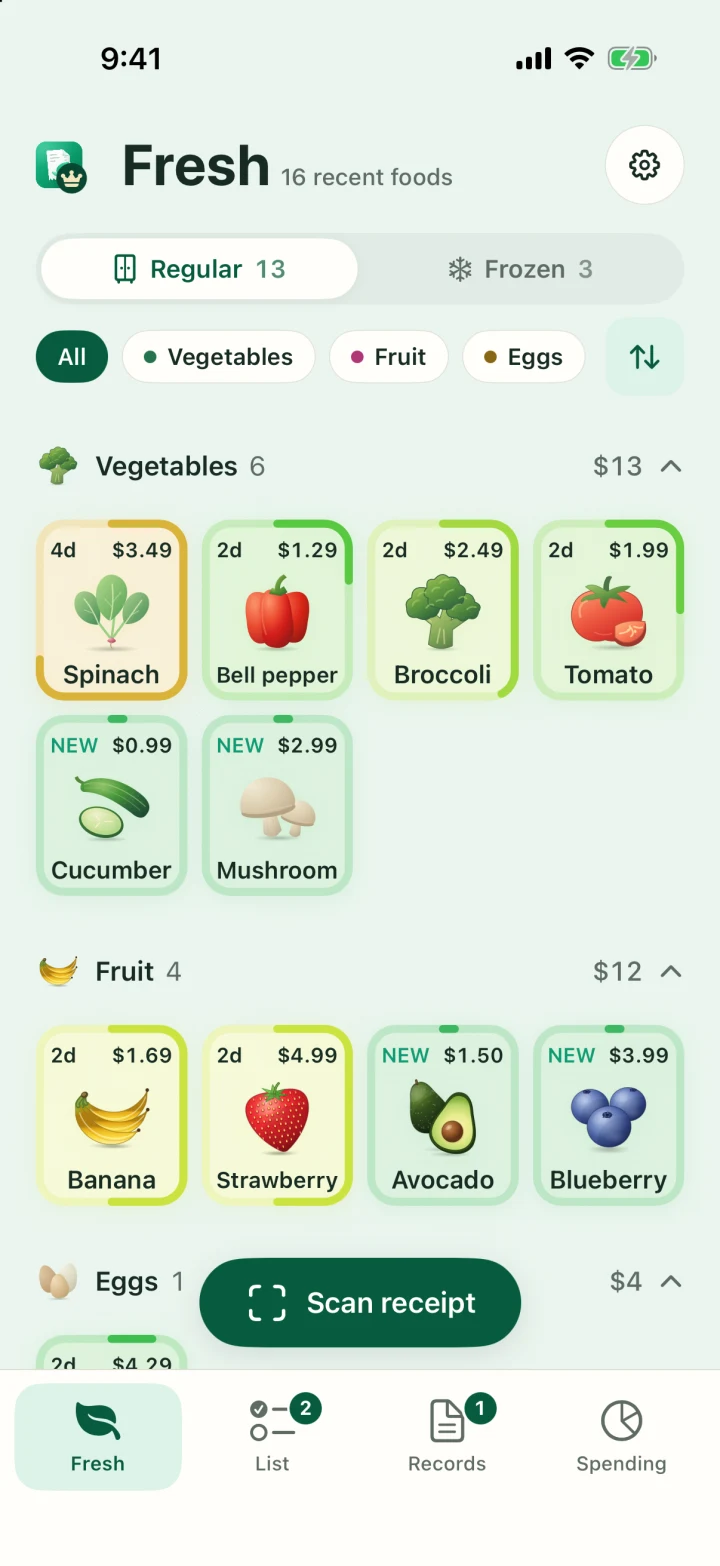
1. Perishables land in Fresh
Fruit, vegetables, tofu, dairy, eggs, meat, poultry, and seafood appear in Regular or Frozen with purchase days and 272 food icons. Note: display windows are reminders, not food-safety expiry dates.
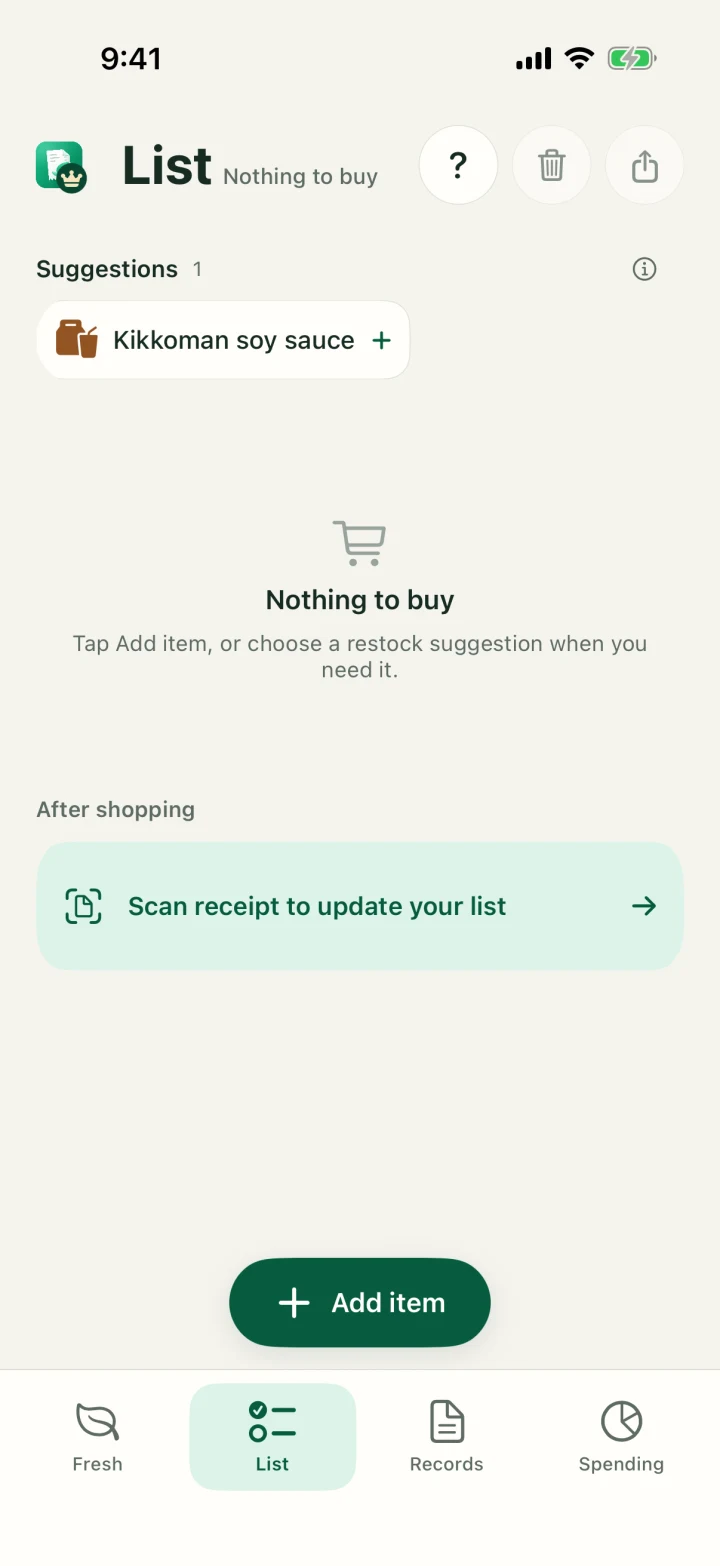
2. Staples restock automatically
Track household items like soy sauce or dish soap under Records → Products, add them to your List in one tap, or let 1.6 suggest repeat purchases when your usual cycle arrives.
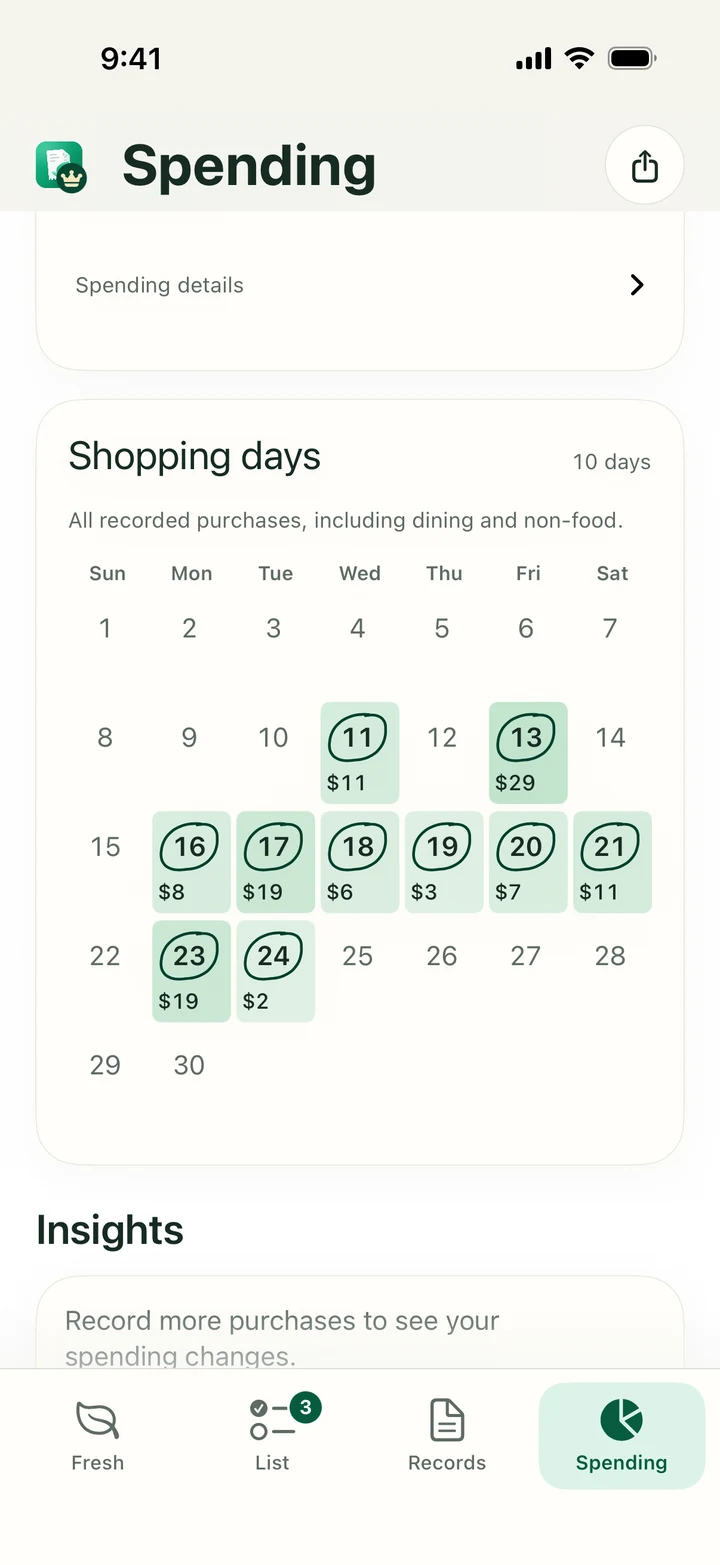
3. Monthly spending & Home Screen widgets
Browse your spending-shaded Shopping days calendar, check off groceries directly from the iOS 17+ interactive Home Screen widget, or add items hands-free with Siri.
Frequently asked questions
- Which stores and currencies work?
- SlipFresh reads printed grocery receipts and multi-screenshot digital orders across 7 interface languages (EN, 中文, ES, FR, DE, JA), including translated product display names for non-English interfaces while preserving original receipt text.
- What does it cost?
- New users receive 10 free lifetime AI scans (shared between receipts and dish photos). Unlimited scanning is $1.99/month or $9.99/year in the US — or try 3 months free with no auto-renewal on our offer page. Saved records stay usable without a subscription.
- How are receipt images handled?
- Your receipt library stays on your iPhone (and optional private iCloud). With your permission, receipt images are sent through our Service to Google’s Gemini API for reading; temporary images are deleted after processing and receipt text is not stored on our servers. See our Privacy Policy.